Your choice of agents
Work with supported Claude, Codex and Grok providers. Give each agent its own task and follow shared updates in one team view.
 MetisComputerYour account
 The macOS preview · actively evolving
Give your work a desktop of its own. Bring conversations, terminals and browsers together. Let your agents work alongside you—on your Mac or in the cloud.
Native macOS app · Apple silicon · macOS 14 or later
Less switching.
More making.
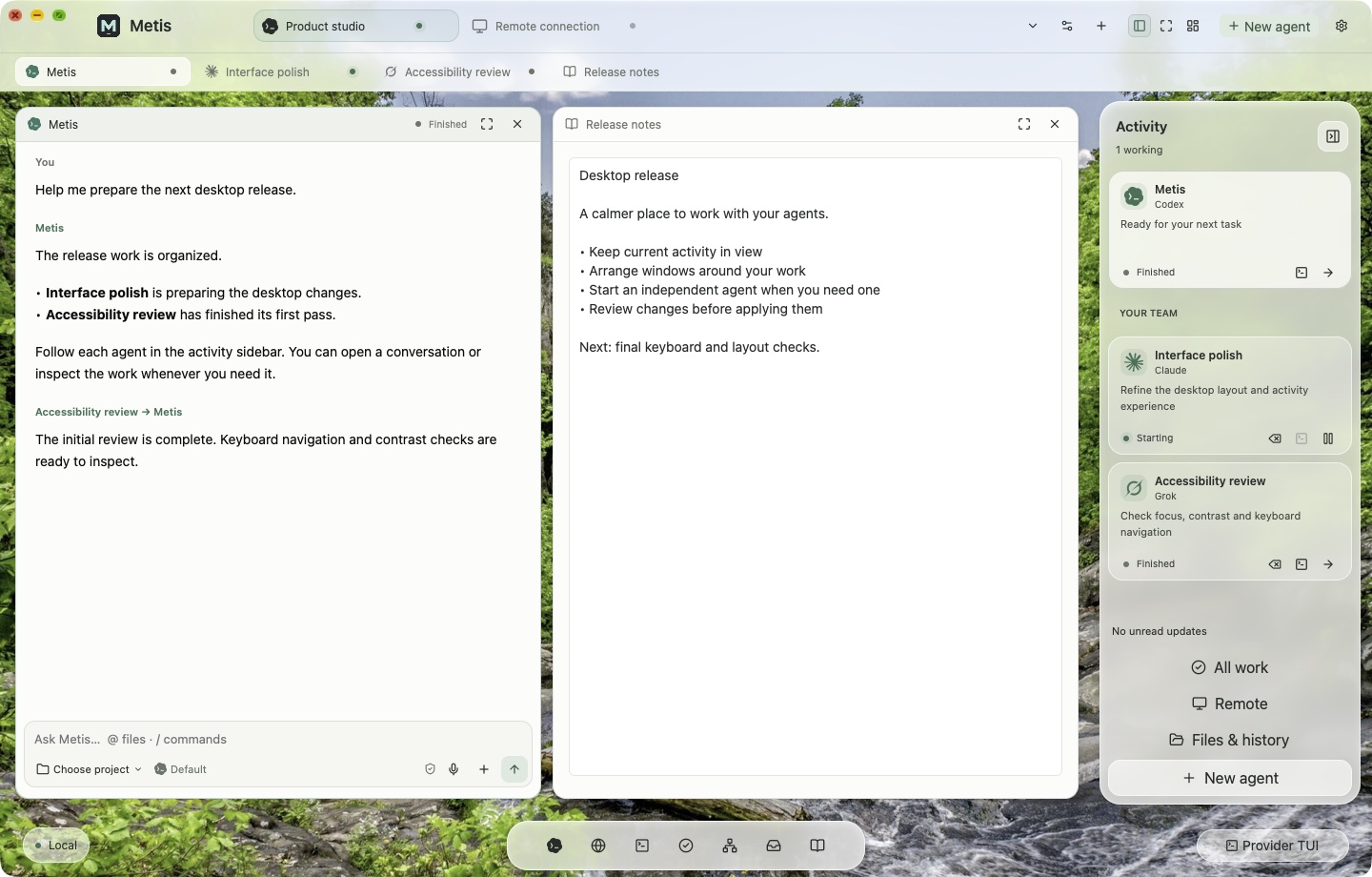
A workspace that keeps up
Your tools should sit beside the conversation. Open a browser, follow a terminal, review a change and bring another agent in—all without losing your place.
Work with supported Claude, Codex and Grok providers. Give each agent its own task and follow shared updates in one team view.
Keep native conversations, provider terminals, browsers and files together. Arrange your desktop around the work in front of you.
Let managed work happen in private project copies. Inspect the result before applying it back to your project.
Bring your own supported provider accounts or API keys. AI model subscriptions and usage are separate from your Metis plan.
Local, remote, yours
Reach a desktop on another online computer, or keep a cloud workspace available when your Mac is away. The session has a home. You have a way back in.
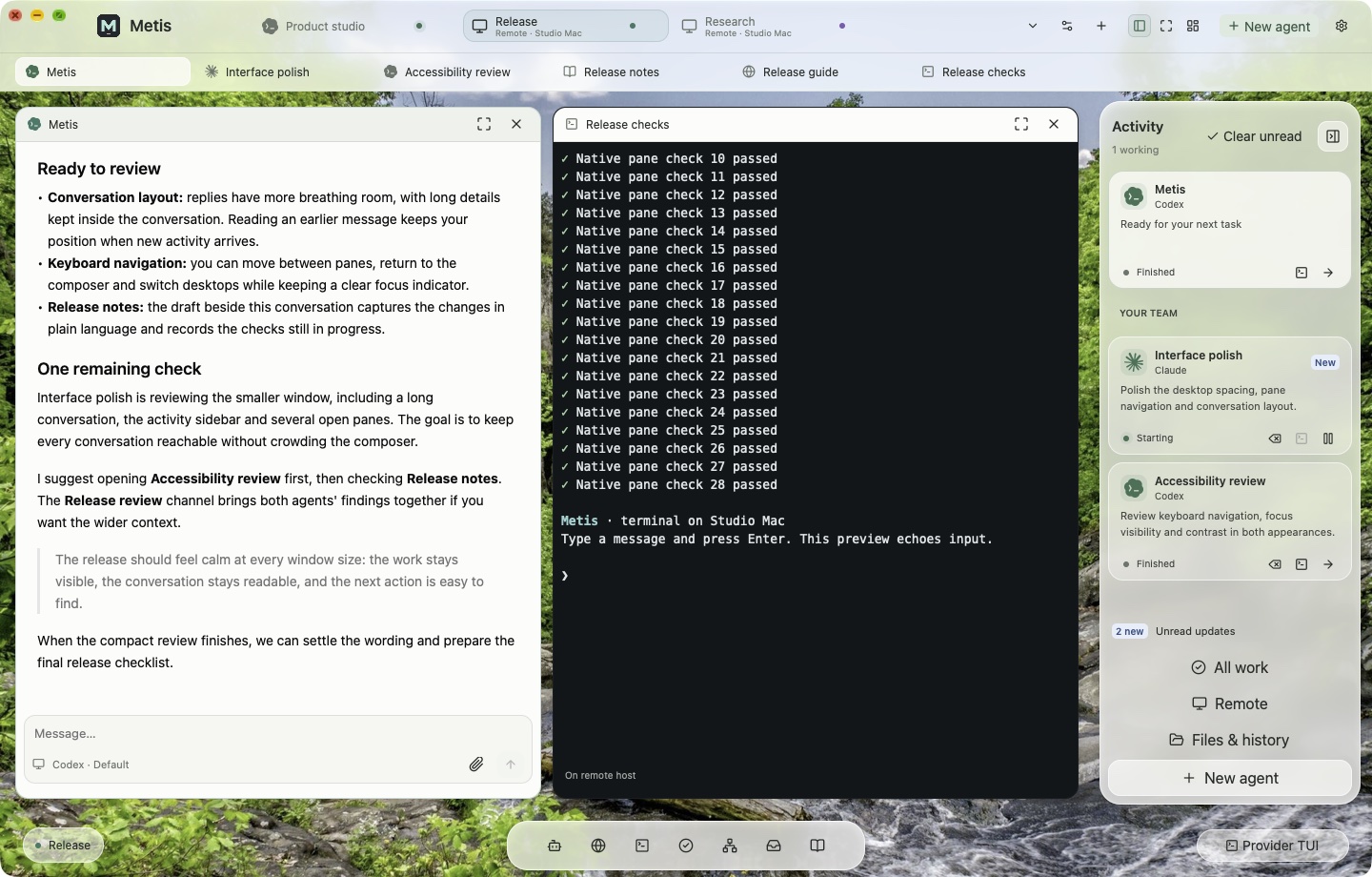
Every plan includes one concurrent persistent cloud desktop. Choose when it stops; saved work stays ready for your next session.
Choose which local desktop sessions are remotely accessible. Growth includes 3, Ultimate 10, across all your computers. Your cloud desktop is separate.
Organize people into organizations and groups. Assign view-only or control access to the desktops you choose to share.
Metis is an actively developed macOS preview. The core workspace, accounts, remote sessions and cloud desktops are here. We’re continuing to refine the experience.
Expect changes, occasional rough edges and regular improvements. Keep independent backups of important work, and tell us what would make your day easier.
Talk to Metis ComputerA place to get things done
Metis on your Mac, your own cloud desktop, and a way to reconnect with your work. No free tier. No separate cloud-provider login.
Your everyday workspace, with room to grow.
USD, billed monthly
Choose GrowthMore power for builds, agents and bigger ideas.
USD, billed monthly
Choose UltimateTalk to us about Enterprise, larger machines and allowances for your team.
Prices in USD. Subscriptions renew until cancelled. Annual billing is paid upfront. Any applicable tax and the final total are shown before payment. A promotion, when available, has its own eligibility and duration. The monthly launch offer is separate from annual savings.
Try your first purchase with a little breathing room.
Contact us within 24 hours of your first payment for a refund under our first-purchase guarantee. Your statutory rights remain unchanged. Read the refund policy.
A few things to know
It is a Metis desktop on one of your own computers that you choose to make remotely accessible. The allowance counts desktop sessions, across all devices—not the number of computers or simultaneous viewers. The computer must be online with Metis running. A published session still uses a slot while its computer is offline.
No. Both plans include one concurrent cloud desktop with a separate allowance. Growth includes the Standard machine; Ultimate includes the Large machine. Cloud runtime is available throughout each monthly allowance period, including when you pay annually.
Your Metis subscription covers the app and its listed workspace features. Connect your own supported provider accounts or API keys; their subscriptions, limits and usage charges are separate.
Use Plan & billing in your account. Stripe shows the amount due before a change. Changes within the same billing interval are prorated; switching between monthly and annual billing starts a new billing period. Cancel future renewal through the billing portal.
The regular price applies after the advertised discounted period. Limited launch offers stop being available when their allocation is taken or their end date passes. Your checkout shows the discount, duration and total before you pay.
Email support@metis.computer. Include your account email and what you were trying to do. Never send passwords, private keys or API tokens.
Make room for your next idea